


Unit 5: Investigating audio production and technology
Unit 6: Investigating visual production and technology
Unit 7: Investigating interactive media production and technology
Unit 6: Investigating visual production and technology
Unit 7: Investigating interactive media production and technology
What we're doing, how we're doing it and why we're doing it

https://www.artstation.com/artwork/68YgaO
Intent: To explore what MagicaVoxel is, how it's used and develop skills needed to produce your own scene.
Implementation: Through investigation, research and practical development.
Impact: Software skills development, utilising a 3D software and rendering processes.
Soft Skills: Time management, adaptability, creativity, problem solving, attention to detail.
Industry: Assets, Environments, Lighting & Rendering.
Context
For this week, you will be utilising MagicaVoxel and its features to create and render Voxel Art.
Your Voxel Art must:
- Be an object, character or environment (or all 3)
- Be rendered and lit appropriately
- Have a full turnaround (30/60 frames)
Your Voxel Art should:
- Have a consistent theme
- Be painted and detailed

Investigation
On your Google Sites:
- What are Voxels?
- What is Voxel Art?
Then:
Research and analyse Voxel Art (minimum 3) with links and evidence.
Going Further:
Research Voxel Art used within games, look into:
- How has it been used?
- Why has it been used?
- Why do you think developers pick Voxels over other visual styles/assets?

1. Get Voxel. Make Voxel.
What do I do?
- Follow the video(s)
- Get familiar with the layout, movement and tools
- Experiment with voxel tools
On your Google Sites:
- Document development (Screenshots, Videos)
- Reflect on your progress (How are you finding it? Do you like it? Do you hate it? Why?)
2. Make Voxel? Make Voxel.
What do I do?
- Start making your own piece of Voxel Art. It can be an object, character or environment, or all of them!
- Follow the video on advanced tools, think about how you can incorporate that into your modelling.
Stuck for ideas? Think:
- This is very similar to your pixel art project, consider developing that into a 3D asset.
On your Google Sites:
- Document your development of your asset
- Link & evidence your references
- Reflect on your progress (How are you finding it? Do you like it? Do you hate it? Why?)
3. Make Voxel? Refine Voxel.
What do I do?
- Once you've got a finished model, start painting and adding detail to it.
- Utilise the advanced tools to add further details to your asset/scene.
Stuck for ideas? Think:
- Use Pixel Art as a reference when colouring/shading, how can that be applied to your asset?
Going Further:
- Add extra details into your scene, make an environment!
On your Google Sites:
- Document your development of your asset
- Link & evidence your references
- Reflect on your progress (How are you finding it? Do you like it? Do you hate it? Why?)

https://www.behance.net/gallery/41528611/Voxel-Art-Animated-scenes/modules/250581359
4. Refine Voxel? Light Voxel.
What do I do?
- Follow the video
- Go into the Render view and start experimenting with the lighting and rendering tools.
- Once you've set up the lighting in the way you like, render the turntable in 30 frames.
(Note: this may take a while so give yourself plenty of time before the end of the session/week)
- Put your rendered images into an Image to Gif Converter and upload the final render onto your Google Sites.
Going Further:
- Look into emissive and transparent objects within MagicaVoxel, try and apply them to your asset/environment.
On your Google Sites:
- Document your development of your asset
- Link & evidence your references
- Reflect on your progress (How are you finding it? Do you like it? Do you hate it? Why?)

5. Refine Voxel? Share Voxel.
What do I do?
- Give feedback to your peers, what do you like about their Voxel Art? What do you think they could do to improve?
- Reflect on not just the task but the Voxel Art itself, have they imitated a certain style? How have they utilised their chosen colour palete? What are the pros and cons?
On your Google Sites:
- Peer Reflection
Then...
6. Personal Reflection
What do I do?
Reflect on your work and evaluate on your Google Sites, ask yourself:
- What happened?
- How did things go?
- What might have helped?
- What might have hindered?
- What else could you have done?
- What have you learned?
- What can you change in the future?
- If the situation arose again what would you do?

Extended Tasks:
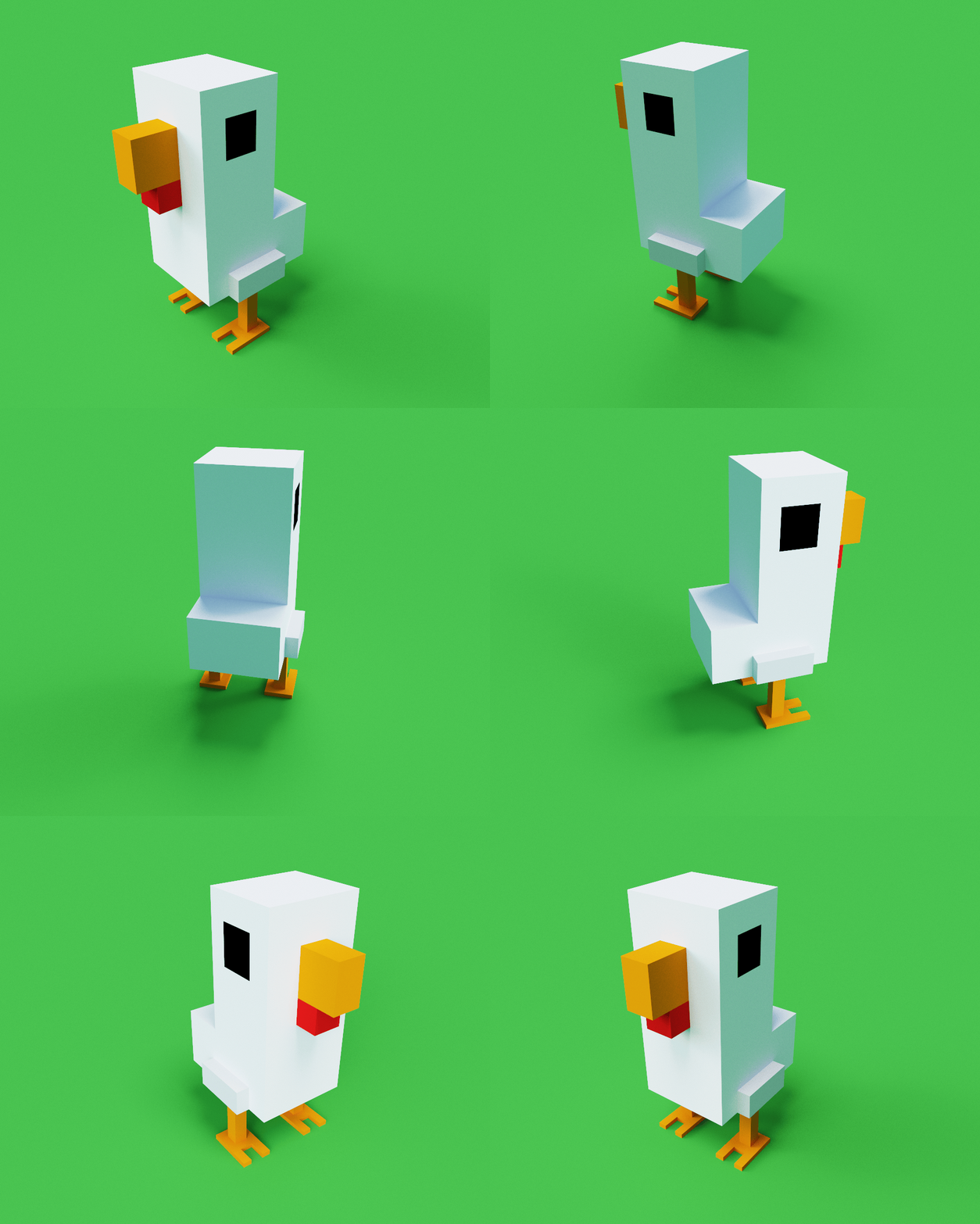
Make your asset even better! Make an additional object, environment or character and import it into your existing voxel scene.
With this, now consider:
- Lighting, has the additional asset changed the way your scene needs to be lit?
- Style, is the theme consistent with your previous asset?
- Scale, are the objects too large or small?
- Colour, does the new model fit tonally with your chosen palette?
